Check the
documentation
Check the
documentation Ask the
Community
Ask the
Community Take a look
at
Academy
Take a look
at
Academy Cognite
Status
Page
Cognite
Status
Page Contact
Cognite Support
Contact
Cognite Support

In “Learn to Use the Cognite Python SDK” Learn to Use the Cognite Python SDK, in notebook 3 (using-cognite-python-sdk/notebooks/3_Create_Update_Insert.ipynb at main · cognitedata/using-cognite-python-sdk), when I run it, it authenticates, and it all works (including notebook 1 & 2), up to notebook 3, cell 5.
I get the following 403 error:
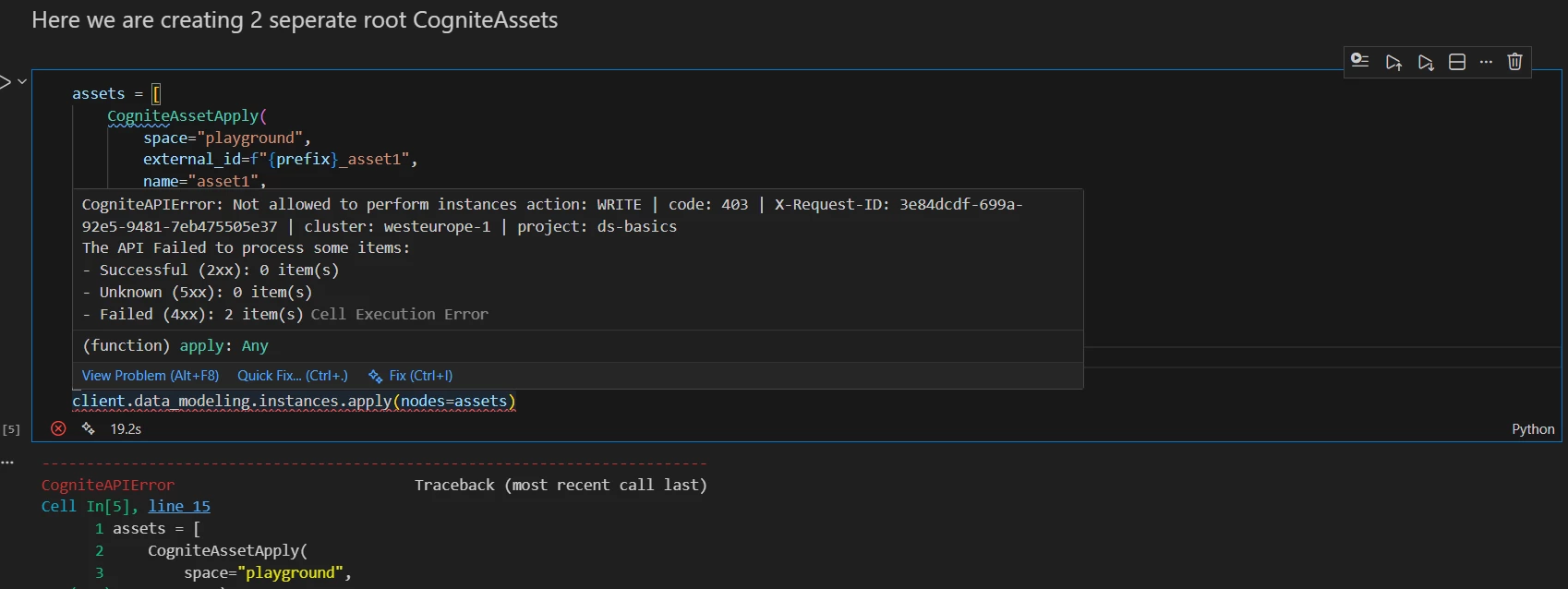
Here is the text output of the error:
“””
CogniteAPIError: Not allowed to perform instances action: WRITE | code: 403 | X-Request-ID: 3e84dcdf-699a-92e5-9481-7eb475505e37 | cluster: westeurope-1 | project: ds-basics The API Failed to process some items: - Successful (2xx): 0 item(s) - Unknown (5xx): 0 item(s) - Failed (4xx): 2 item(s)
“””
Can I please have advice on what to do?